
Unicorn Blocker:Adblocker, Fas
Unicorn Soft, Inc.Productivity
4.0262.00 Reviews
- Version
- 1.9.9.41
- Installs
- 100.00K
- Age Rating
- Everyone
Screenshots
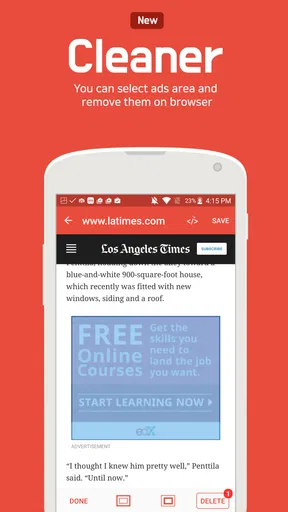
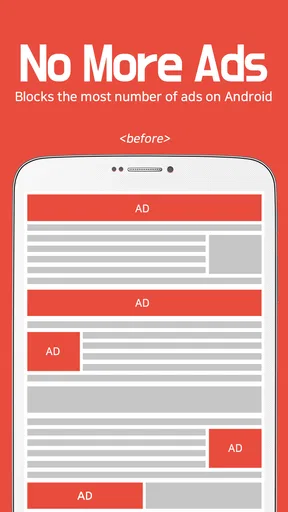
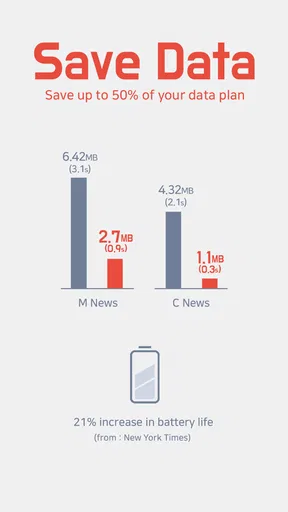
Our Review of Unicorn Blocker:Adblocker, Fas
 Analysis by Appyee
On a shared tablet, the difference between a calm browsing session and a string of unwanted interruptions can matter to everyone using it. I’d consider Unicorn Blocker: Adblocker, Fas when Safari is the household’s main way to read, look things up, or follow links. Its focus is on reducing intrusive ads, including pre-roll interruptions and redirects, rather than managing family accounts or setting rules for other people.
What a shared device changes
Imagine someone using the family tablet to find a recipe while another person has recently opened a page full of pop-ups. An ad blocker can make the next browsing session less cluttered, but it does not make the tablet a shared profile with separate preferences. I’d treat the app as a browser aid for whoever uses Safari, not as a household-management tool.
That distinction is useful when deciding whether it fits. If everyone mainly wants pages to feel less interrupted, one person can set it up and explain what it changes. If different users need separate browsing rules, or a parent wants controls over what a child can access, this is not a replacement for those arrangements. I would keep device access and account boundaries in the operating system and browser settings rather than expecting an ad blocker to provide them.
Setup and boundaries worth checking
The original appeal is a simple setup: enable the blocker for Safari and then browse as usual. On a device used by several people, I’d do that first and test a few sites each person relies on, rather than assuming every page will behave exactly as before. A page that depends on advertising scripts or embedded content can sometimes lose a function when blocking is active.
A practical way to troubleshoot is to notice what changed on the specific page: if a video, sign-in prompt, or button stops working, compare that page with the blocker turned off or adjust the available settings. This is more useful than disabling protection everywhere after one bad result. The trade-off is straightforward: stronger blocking may mean fewer interruptions, while a more permissive setup can preserve compatibility on sites that react badly to filtering.
I’d also agree on who gets to change the settings if the device is shared. Otherwise, one person may adjust the blocker to fix a page and leave a different browsing experience for everyone else. That is not a technical flaw unique to this app; it is simply what happens when several people share one browser configuration. A brief household rule—tell others before changing it—can prevent confusing “it used to work” moments.
Getting Started with Unicorn Blocker
First things first, installing Unicorn Blocker was a breeze. I hopped onto the App Store, hit download, and within seconds, it was ready to go. The interface is clean and straightforward, which I love because who has time to navigate through complicated menus, am I right?
Once you open the app, it gives you a quick rundown on how to set it up. It’s pretty much plug and play. You just need to enable it in the Safari settings, and you’re good to go. It’s super user-friendly, even if you’re not a tech whiz.
Features That Stand Out
So, what makes Unicorn Blocker a standout choice in the sea of ad blockers? Let me tell you!
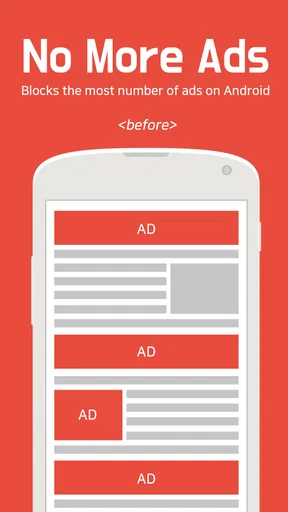
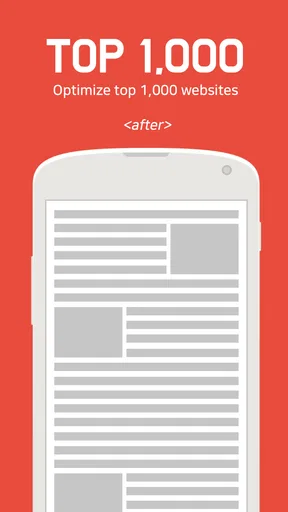
- Ad Blocking Efficiency: This bad boy blocks ads like a pro. From pop-ups to banners, it handles them all with ease. Browsing the web feels so much cleaner and faster without those pesky interruptions.
- Privacy Protection: It also steps up your privacy game. By blocking trackers, it ensures that your data isn’t being harvested without your consent. It’s like having a personal bodyguard for your online presence.
- Customizable Options: I love how you can customize the blocking levels. Whether you want to go full stealth mode or just block certain types of ads, it’s all up to you. Flexibility is key!
Browsing Bliss
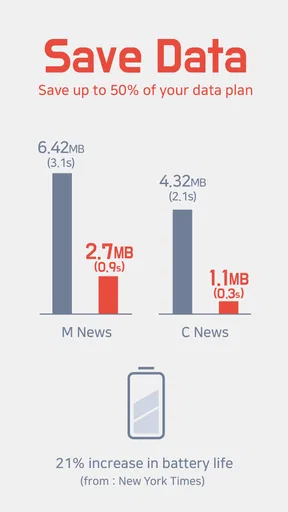
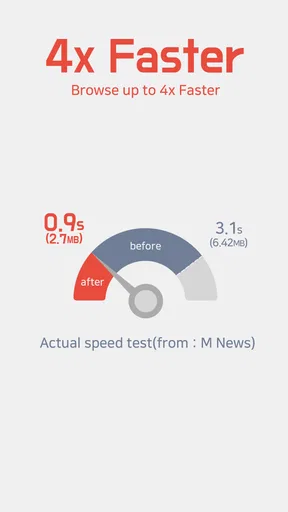
One of the things I noticed right away was how much faster my browsing experience became. Pages loaded quicker, and I wasn’t constantly bombarded by distracting ads. It’s like a breath of fresh air, honestly. Plus, it’s a lifesaver for those of us with limited data plans. Fewer ads mean less data usage.
I also appreciate the extra layer of security. Knowing that trackers are kept at bay gives me peace of mind. It’s comforting to browse without feeling like someone’s peering over your digital shoulder.
Ads, compatibility, and practical expectations
The benefit I’d expect to notice most is fewer interruptions on pages where ads are especially aggressive. The app’s stated focus includes pre-roll ads, pop-ups, and forced redirects, which makes it particularly relevant if those are the things that repeatedly derail your browsing. It is less helpful when the problem is unrelated to advertising, such as a site that is slow for other reasons or a video that requires an account.
Compared with relying on a browser’s built-in privacy settings alone, a dedicated blocker is a more direct way to target ad interruptions. Compared with switching to a different browser, it lets Safari remain part of the routine described in the setup. But people who spend most of their time in another browser should not assume they will get the same experience there. The key question is not whether ad blocking is useful in general; it is whether Safari is where the nuisance happens.
There is also a small but important judgment call around websites that depend on advertising. Blocking can make a page easier to read, yet some publishers use ads to support their content, and some pages may ask users to allow them before certain features work. I’d make exceptions thoughtfully when a trusted site genuinely needs them, rather than treating every blocked element as automatically harmful or every site prompt as a reason to abandon the app.
Who should use it—and who may prefer something else
I’d recommend it to someone who browses in Safari often and mainly wants fewer intrusive ads without learning a complicated workflow. It may also suit a shared-device household where the common goal is simply a cleaner browsing experience. For a student following research links, a parent checking school information, or someone reading recipes while cooking, fewer pop-ups and redirects can make ordinary tasks less frustrating.
I’d skip it if you rarely use Safari, need a blocker that works consistently across several browsers, or are looking for parental controls, separate user profiles, or a way to coordinate permissions. Those are different jobs. A browser with its own filtering tools may be a better fit for someone who wants one environment across devices, while system-level family settings are the more relevant route for access limits and child accounts. An ad blocker should not be mistaken for a content filter or a guarantee that every page is safe.
For a household, I’d also avoid presenting the app as a substitute for talking with younger users about links and redirects. Blocking can reduce some of the clutter that makes a page hard to use, but it does not decide which sites are appropriate. The age rating is Everyone, so the app itself is suitable for a broad audience; that is not a rating of every website anyone might visit through Safari.
Price, support, and the decision to install
Unicorn Blocker: Adblocker, Fas is a paid productivity app from Unicorn Soft, Inc., priced at $1.99. Its average rating is 4.0 from around 10,000 ratings, and it has over 100,000 installs. Those figures suggest that it has found an audience, but I would weigh them less heavily than the basic fit: Safari use, the kinds of ads that bother you, and your tolerance for occasionally troubleshooting a page.
It was released on March 3, 2016, and its current version is 1.9.9.41. It requires Android 6.0 or later, and the app is also described as a Samsung certification app. Since the hands-on setup described here centers on enabling the blocker in Safari, I would check that the version and platform offered to you match the device you intend to use before paying. The product name appears in different contexts, so confirming the exact app in your store is a sensible step rather than relying on a familiar name alone.
The purchase makes the most sense if the specific interruptions it targets are a recurring annoyance. If you only encounter them occasionally, your browser’s existing controls may be enough. If you do install it, my practical tip is to test it on the pages you use every week, then keep a note of any page that needs a lighter setting. That small check gives you a clearer answer than judging an ad blocker from a single browsing session.
Any Downsides?
Now, no app is perfect, and Unicorn Blocker is no exception. While it does a stellar job at blocking ads, there are occasional hiccups. Sometimes, it might block a bit too much, causing some website functionality issues. But hey, you can always tweak the settings to find that sweet spot.
Another thing to note is that it’s primarily for Safari users. If you’re using other browsers, you might not get the same seamless experience. But for Safari lovers like me, it’s a match made in heaven.
Coordinating without overcomplicating the household
If several people share one device, I’d keep the conversation about the blocker simple: explain that it changes how some pages display, and ask users to mention broken features rather than silently changing settings. This is especially helpful when someone is trying to complete a time-sensitive task, such as submitting a form or opening a school resource. A quick check of the affected page can separate a blocking issue from a temporary site problem.
It is also worth setting expectations about videos. The app is aimed at pre-roll interruptions, but that does not mean every video platform or every playback situation will behave identically. If a video fails, I’d first test whether the page works with the blocker disabled for that site, then decide whether the cleaner experience is worth keeping the setting in place. That is a more measured approach than assuming the app can remove every ad everywhere.
For people who want a single, centrally managed setup for several family members, this app may feel too modest. Its strength is narrower: it helps reduce certain disruptive elements while browsing, rather than coordinating accounts or enforcing rules. I find that focus useful when the household already has a clear device routine, but limiting when the real need is supervision or individualized settings.
Final Thoughts
All in all, Unicorn Blocker: Adblocker, Fas is a solid choice if you’re in the market for a reliable ad blocker. It’s efficient, user-friendly, and adds a valuable layer of privacy protection. The peace of mind and improved browsing experience it offers are worth every penny.
If you’re tired of cluttered web pages and intrusive ads, give Unicorn Blocker a try. It just might become your new favorite app. Happy browsing!
Verdict
Strengths of Unicorn Blocker:Adblocker, Fas
- Blocks ads effectively across major sites.
- Improves browsing speed significantly.
- User-friendly interface for easy navigation.
- Customizable filters for personalized control.
- Minimal battery consumption with active use.
Limitations of Unicorn Blocker:Adblocker, Fas
- Occasional compatibility issues with some sites.
- Limited support for non-English languages.
- Free version has restricted features.
- May block some desired content by mistake.
- Requires frequent updates for optimal performance.
Similar Picks in This Category
View All
Google Calendar
Google LLC4.6

Google Drive
Google LLC4.3

Google Assistant
Google LLC3.9

Microsoft OneDrive
Microsoft Corporation4.6

Samsung Calendar
Samsung Electronics Co., Ltd.4.1

Microsoft OneNote: Save Notes
Microsoft Corporation4.6
Frequently Asked Questions
What is Unicorn Blocker and how does it work?
Unicorn Blocker is an ad-blocking app designed to enhance your browsing experience by removing unwanted ads from websites. It works by filtering out advertisements before they load, allowing for faster page loading times and reducing data consumption. The app integrates seamlessly with your browser, providing a smoother, distraction-free experience.
Is Unicorn Blocker free to use, or does it require a purchase?
Unicorn Blocker offers both a free version and a premium option. The free version provides basic ad-blocking features, while the premium version includes advanced capabilities such as customizable filters and enhanced privacy protection. The premium version may require a one-time purchase or subscription, depending on the platform.
Does using Unicorn Blocker affect website functionality or content?
While Unicorn Blocker is designed to block ads without interfering with website content, some sites may experience minor issues, such as missing elements or layout changes. The app allows you to whitelist specific websites to ensure full functionality. Users can easily toggle ad-blocking on or off as needed.
Is Unicorn Blocker compatible with all browsers and devices?
Unicorn Blocker is compatible with most major browsers, including Chrome and Safari, on both Android and iOS devices. It supports a wide range of smartphones and tablets, ensuring that users can enjoy ad-free browsing regardless of their device. Always check for the latest updates to ensure compatibility.
How does Unicorn Blocker handle user privacy and data security?
Unicorn Blocker prioritizes user privacy by not tracking browsing history or collecting personal data. The app operates locally on your device, which means your data remains secure and private. It also offers additional privacy features, such as blocking trackers and cookies, to enhance overall security.
